Showcase Studio

App videos, written from your repo by Claude

Be the director. Showcase and Claude do the rest.

Make pixel-perfect videos of your app in minutes. No CapCut, no clipping by hand, no frustration.

This video was made with Showcase Studio.

Start in your code repo

Showcase Studio works inside your app's own repository. Claude can read your code and docs, and capture screenshots and clips of your app.

The video lives right next to the code, in a showcases folder.

Describe what you want

Start a Claude session in your app project and describe what you want to make.

Claude and Showcase Studio take it from there. You get a script, scenes with integrated video and custom graphics, and captions. You can watch the video directly in Claude.

Make a TikTok for NOVA that shows off jump gates: players build their own highways between the stars.

Edited showcase.yaml

Here's a first cut. It's playing in the studio.

A frame of the NOVA video: a jump gate on the star map, captioned 'A jump gate is a permanent high-speed lane'

Revise by watching and chatting

To refine and improve the video, just chat with Claude about the changes you want to make.

Keep going until it's right. To fix a word yourself, edit it right in the studio. Claude sees what you changed.

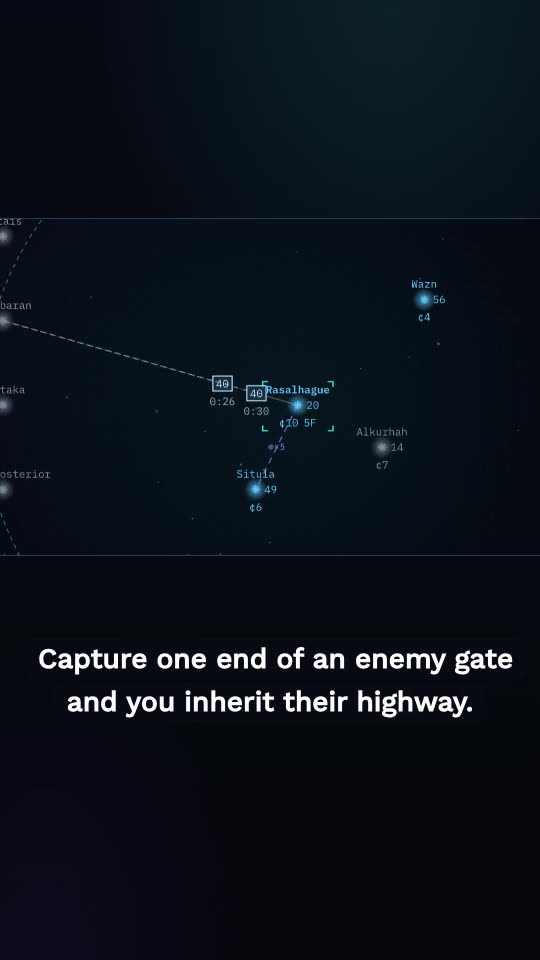
Add that you can capture an enemy's gate.

Edited showcase.yaml

Done. The jump gate scene has a second line now.

The same NOVA scene after the note, captioned 'Capture one end of an enemy gate and you inherit their highway'

Step in front of the camera

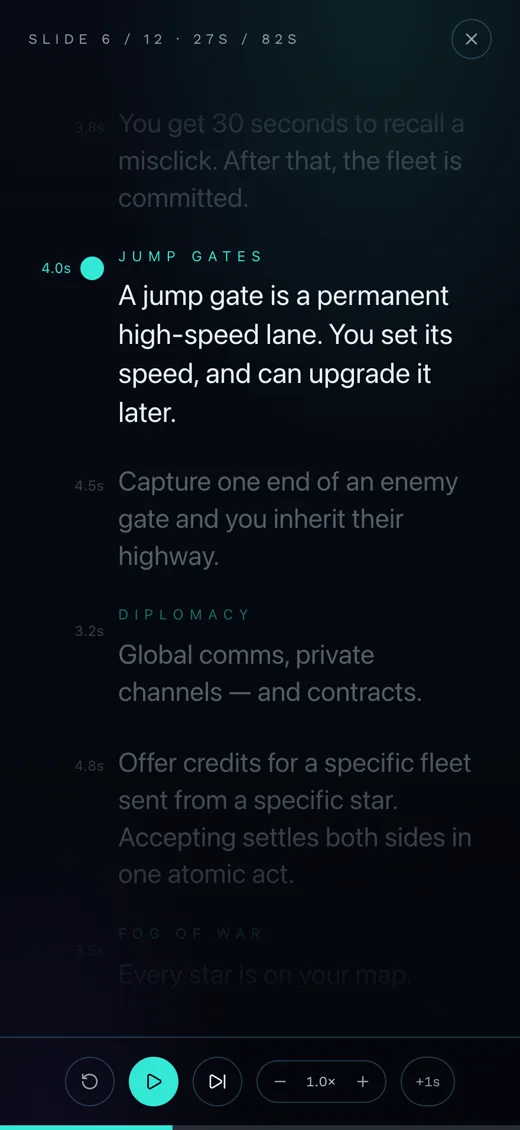
To record yourself speaking the script, use the built-in teleprompter, on your computer or on your phone.

Your recording will be automatically woven into the video, with synced captions. You don't have to line anything up by hand.

The NOVA script on a phone teleprompter, on the jump gate line

Publish it

Export high quality video and upload to destinations like TikTok and YouTube. On a Mac, you can AirDrop the video directly to your phone.

  • TikTok
  • Instagram
  • YouTube
  • AirDrop

Update it when the app changes

Your showcases are git-managed files. So when your app changes, Claude can update your videos quickly and easily.

Get Showcase Studio

Recommended

Use it in Claude Code

In a terminal:

claude plugin marketplace add kgilpin/showcase-studio
claude plugin install showcase-studio@showcase-studio

Then start Claude Code in a folder for your showcases and run /showcase-studio:showcase new. The app installs itself the first time, and it all runs on the Claude Code subscription you already have.

Use the desktop app

Open a folder for your showcases, and work with Claude in the app's terminal. On a Mac, unzip it and move it to Applications.

Checksums are on the release page.